MT4 Backtesting Guide: Quant Trading Software Tips

MT4 Automated Backtesting Tutorial: Say Goodbye to Blind Trading! A Practical Guide to Top Quantitative Backtesting Software
Are you often troubled by the inability to objectively evaluate your trading strategies? Do you want to know how your strategy would have performed in the past market but not know where to start? Manual backtesting is time-consuming, labor-intensive, and easily influenced by subjective emotions. This article provides a complete introduction to the most powerful automated trading backtesting tools and quantitative trading backtesting software available in the market, along with a detailed MT4 automated backtesting tutorial, helping you scientifically validate and optimize your trading strategies through data, say goodbye to ineffective trading, and move toward stable profitability.
Why Quantitative Traders Need Automated Backtesting and Strategy Review
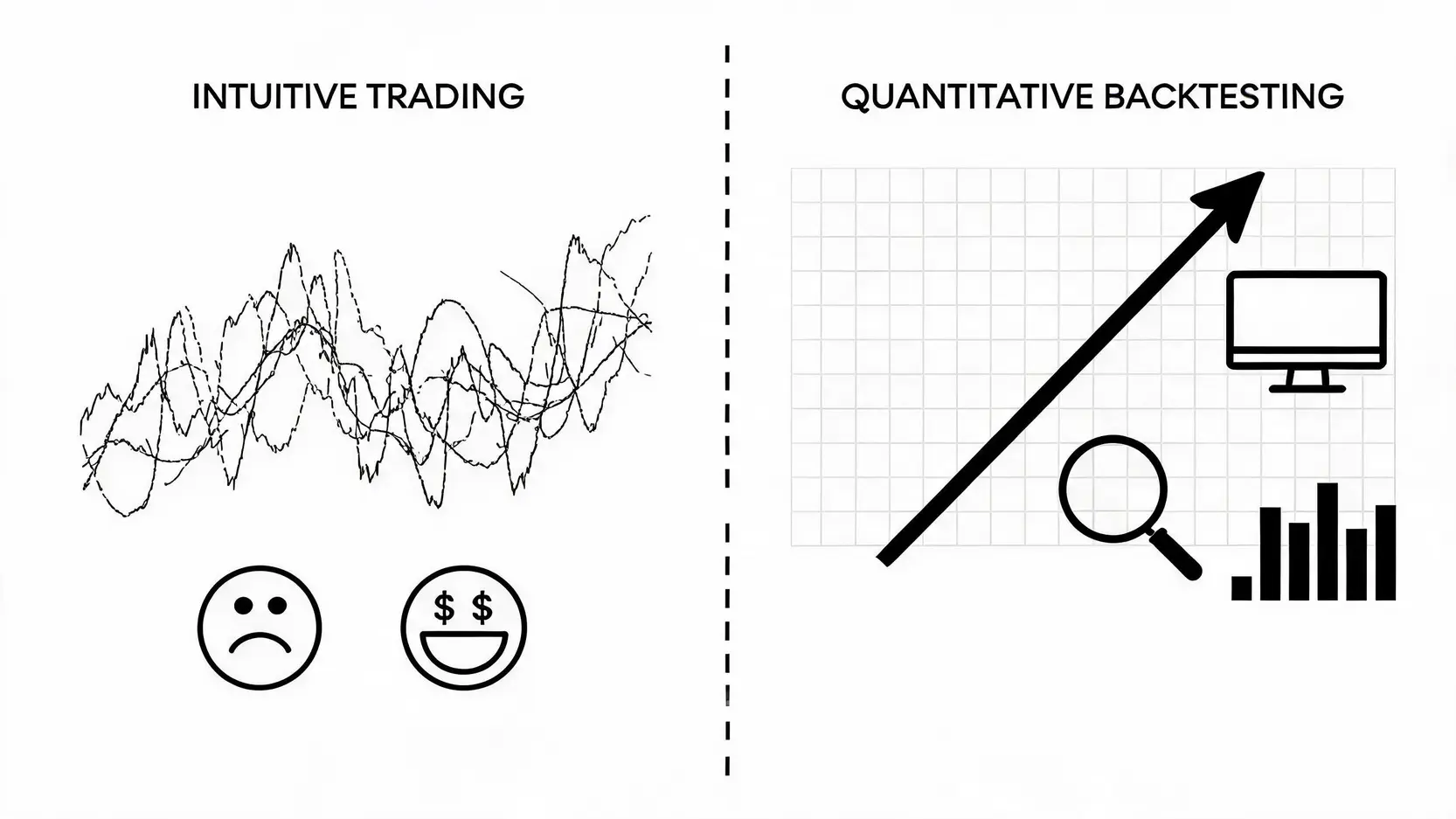
In the turbulent financial markets, every decision can determine success or failure. Many traders rely on intuition or fragmented experience to place trades, often falling into a vicious cycle of chasing highs and selling lows, driven by emotion. Automated backtesting and strategy review is the key process that transforms trading from an “art” into a “science”. It allows traders to objectively evaluate a strategy’s potential and risk before committing real capital.

The Transformation of Trading: From Subjective Art to Objective Science
Say Goodbye to Emotions: The Absolute Advantage of Data-Driven Decision Making
Human nature is the biggest enemy of trading. Fear and greed often influence decisions unintentionally. Automated backtesting tools operate entirely based on historical data and predefined rules. They do not feel fear or become blinded by greed. Through backtesting, you receive an objective performance report that clearly shows under which market conditions a strategy performs well and when it incurs losses, helping you build confidence in the strategy and avoid emotional decisions during real trading.
Efficiency Revolution: From Weeks to Minutes for Strategy Validation
Imagine manually validating a trading strategy spanning several years. How many candlestick charts would you need to review? How many trades would you need to calculate? This process could take weeks or even months. Quantitative trading backtesting software can process millions of historical data points in just a few minutes, simulate thousands of trades, and instantly generate detailed performance reports. This massive efficiency gain allows traders to iterate and optimize strategies rapidly and capture fleeting market opportunities.
Risk Simulation: Identifying Strategy Weaknesses Before Deploying Real Capital
“Risk control” is the core of trading success. Backtesting is not only about identifying profit potential, but more importantly about simulating risk. A strong trading risk management strategy must undergo stress testing. Key metrics in backtesting reports such as Max Drawdown and Sharpe Ratio provide a clear view of the worst-case scenario a strategy may face. Identifying and fixing potential flaws, such as excessive losses or low win rates, before live trading is essential to avoid significant capital loss.
Recommended Reading (Highly Recommended)
Forex Risk Management: How Professional Traders Hedge Risk and Achieve Stable Profits
Arbitrage Bot Testing Review: Are 5 Major Automated Arbitrage Platforms Scams or Investment Tools?
2026 Comparison of Three Mainstream Automated Trading Backtesting Tools and Software
The market offers a wide range of backtesting tools, from beginner-friendly graphical interfaces to advanced coding libraries for professional developers. Below is a comparison of three representative mainstream quantitative trading backtesting software solutions to help you choose the right tool.
All-in-One Solution: TradingView Strategy Tester
TradingView is well known for its powerful and intuitive charting tools, and its built-in “Strategy Tester” is equally impressive. Users can easily write or modify trading strategies using its proprietary Pine Script language and perform backtesting on rich historical data. Its biggest advantage is cloud-based operation, user-friendly interface, and a large community with many ready-made strategy scripts, making it ideal for beginners and traders without complex programming backgrounds.
Forex Industry Standard: MetaTrader 4 (MT4) Strategy Tester
When it comes to forex trading, MetaTrader 4 (MT4) is an undisputed industry standard. Its built-in Strategy Tester is designed specifically for testing Expert Advisors (EA). Although the interface is relatively traditional, it offers high execution efficiency, low resource consumption, and a “visual mode” that allows users to observe every trade entry and exit in detail. For forex EA developers and users, MT4 remains an indispensable core tool.
Advanced and Customizable: Python Quantitative Backtesting Libraries (e.g. Backtrader)
For professional quantitative traders seeking ultimate flexibility and customization, Python-based backtesting is the best choice. Open-source libraries such as Backtrader, Zipline, and PyAlgoTrade provide frameworks to build fully customized backtesting engines. You can freely integrate various data sources and implement complex portfolio allocation and risk management models. Although the learning curve is steep and programming skills are required, the level of functionality and strategy complexity it enables is far beyond the previous two options.
Comparison Table: Features, Cost, and Suitable Users Across Platforms
| Comparison Item | TradingView Strategy Tester | MetaTrader 4 (MT4) Strategy Tester | Python Quantitative Backtesting Libraries |
| Core Advantages | Intuitive interface, powerful charts, cloud-based operation, active community | Forex trading industry standard, mature EA ecosystem, high execution efficiency | Extreme customization, unlimited functionality, open-source and free |
| Main Disadvantages | Limited features in the free version, advanced data requires payment | Outdated interface, historical data quality requires manual handling | Steep learning curve, requires programming skills |
| Cost | Free version, paid plans (Pro/Pro+/Premium) | Software itself is free (provided via brokers) | Completely free (open-source) |
| Target Users | Beginners, chart analysis enthusiasts, multi-market traders | Forex traders, EA users and developers | Professional quantitative developers, hedge funds, strategy researchers |
Step-by-Step MT4 Automated Backtesting Tutorial: Complete EA Strategy Backtesting Process
No amount of theory beats actual practice. Next, we will use the most widely used MT4 platform as an example to guide you step by step through EA automated backtesting and strategy review. This workflow will help you execute quantitative backtesting accurately and effectively validate trading strategies.

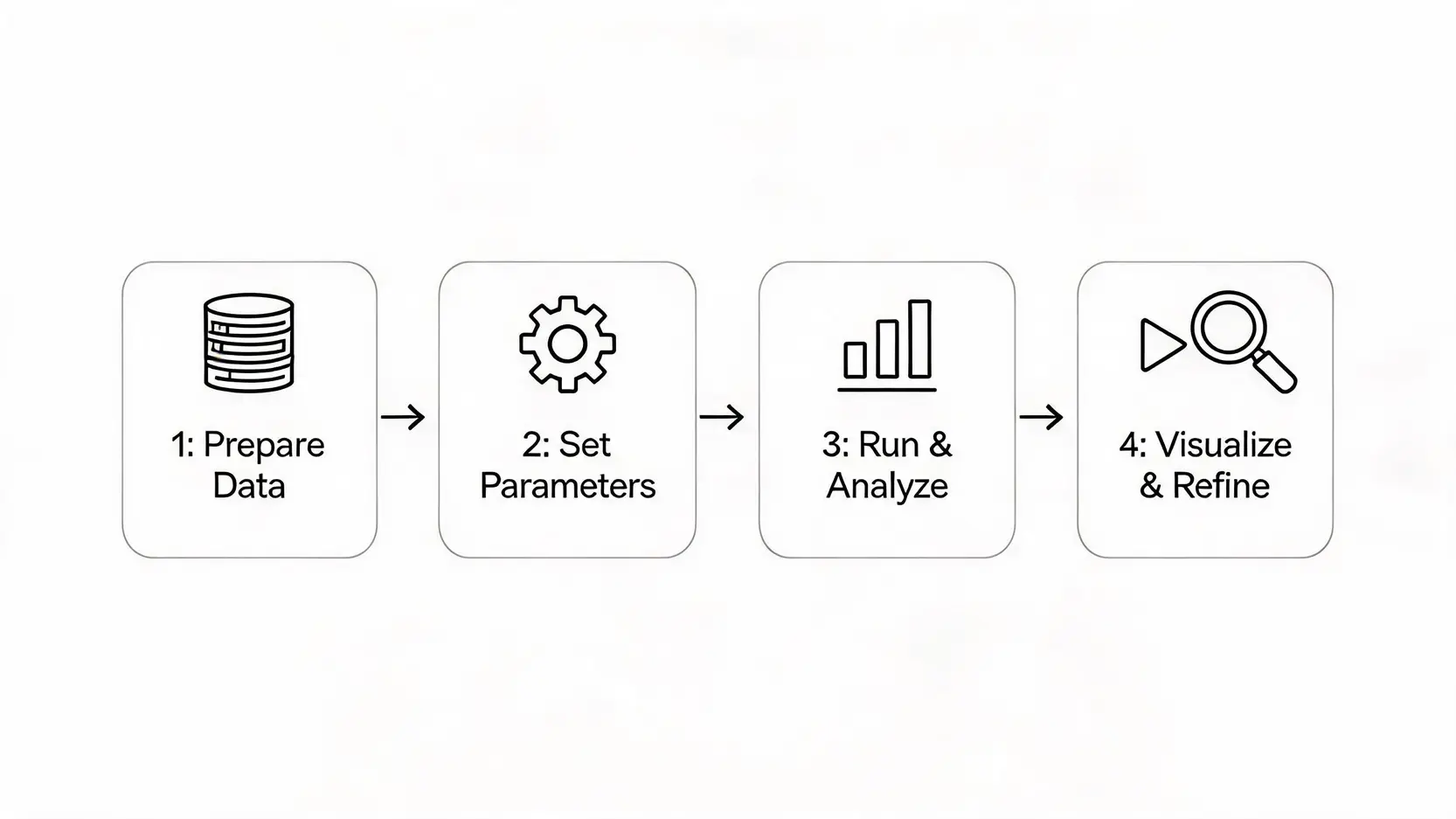
MT4 Automated Backtesting Four-Step Process
Step 1: Prepare and Import High-Quality Historical Data
The reliability of backtesting results depends entirely on data quality. “Garbage In, Garbage Out” is the golden rule of quantitative backtesting. The historical data built into MT4 is usually not high quality (around 90%). It is recommended to obtain high-quality 99.9% tick data from third-party data providers (such as Tickstory) and import it into MT4’s “History Center”. High-quality data ensures that backtesting results are closer to real market conditions.
Step 2: Configure Strategy Tester Parameters in Detail
Click “View” in the MT4 toolbar, then select “Strategy Tester” (shortcut Ctrl+R) to open it. Key parameters are explained as follows:
- Expert Advisor (EA): Select the EA program you want to backtest.
- Symbol: Choose the currency pair to test, such as EURUSD.
- Model: Select the backtesting model. Beginners are advised to use “Every tick”, which is the most accurate but also the slowest.
- Date Range: Set the historical period you want to test.
- Visual Mode: Enable this to see real-time trading processes on the chart, useful for debugging.
- Timeframe: Select the chart timeframe the EA operates on.
- Spread: Set an average spread consistent with your broker, as it significantly affects results.
Step 3: Run Backtest and Interpret Key Performance Reports
After setting parameters, click the “Start” button, and MT4 will begin the backtest. Once completed, switch to the “Report” tab at the bottom. You will see a detailed performance report. Key metrics include:
- Total Net Profit: Overall profit or loss amount.
- Profit Factor: Total profit divided by total loss. A value above 1.5 is generally considered a good strategy.
- Maximal Drawdown: The maximum decline from peak equity to lowest point. One of the most important risk indicators.
- Total Trades: Too few trades may indicate that strategy effectiveness is coincidental.
Step 4: Use “Visual Mode” for Trade-by-Trade Strategy Review
For detailed strategy validation, visual mode is extremely useful. When running a backtest, enable “Visual Mode” to open a new chart window. You can adjust playback speed and observe every entry and exit executed by the EA in historical data. This helps identify whether trade behavior matches your strategy logic and is especially useful for detecting performance deviations under specific market conditions. It is also one of the best ways for beginners to understand how forex EAs operate.
Recommended Reading (Highly Recommended)
Forex Risk Management: How Professional Traders Hedge Risk and Achieve Stable Profits
Arbitrage Bot Testing Review: Are 5 Major Automated Arbitrage Platforms Scams or Investment Tools?
FAQ (Frequently Asked Questions)
Q: How can MT4 backtesting accuracy (quality) be improved to 99%?
A: To improve MT4 backtesting quality to over 99%, the key is using high-quality “tick data”. The historical data provided by MT4 itself is interpolated from M1 data, so its accuracy is limited. You need to download real tick data via third-party tools (such as Tickstory or free data from Dukascopy), then import it into MT4’s History Center before running backtests. This significantly reduces model errors and makes backtest results much closer to real trading conditions.
Q: What are “backtesting models” (Every Tick, Control Points, Open Prices Only)? How should I choose?
A: “Backtesting models” determine how MT4 simulates price movement during testing. Open Prices Only is the fastest but least accurate, using only the open price of each candle. It is suitable for strategies that do not rely on intra-candle price movement. Control Points uses interpolation from smaller timeframes, offering medium speed and accuracy. Every Tick is the most accurate model, simulating every tick movement, but it is also the slowest. For most strategies, especially scalping or precision entry strategies, Every Tick should be prioritized for the most reliable results.
Q: Besides MT4, are there other recommended free quantitative trading backtesting software options?
A: Yes. For non-programmers, TradingView’s free version provides basic backtesting functionality, although with some limitations. For users with programming skills, Python’s open-source ecosystem is extremely powerful, with libraries such as Backtrader and Zipline being completely free. In addition, newer platforms such as QuantConnect also offer free community plans, allowing strategy development and backtesting in a cloud-based environment.
Q: Why does real trading still lose money even when backtesting results look good?
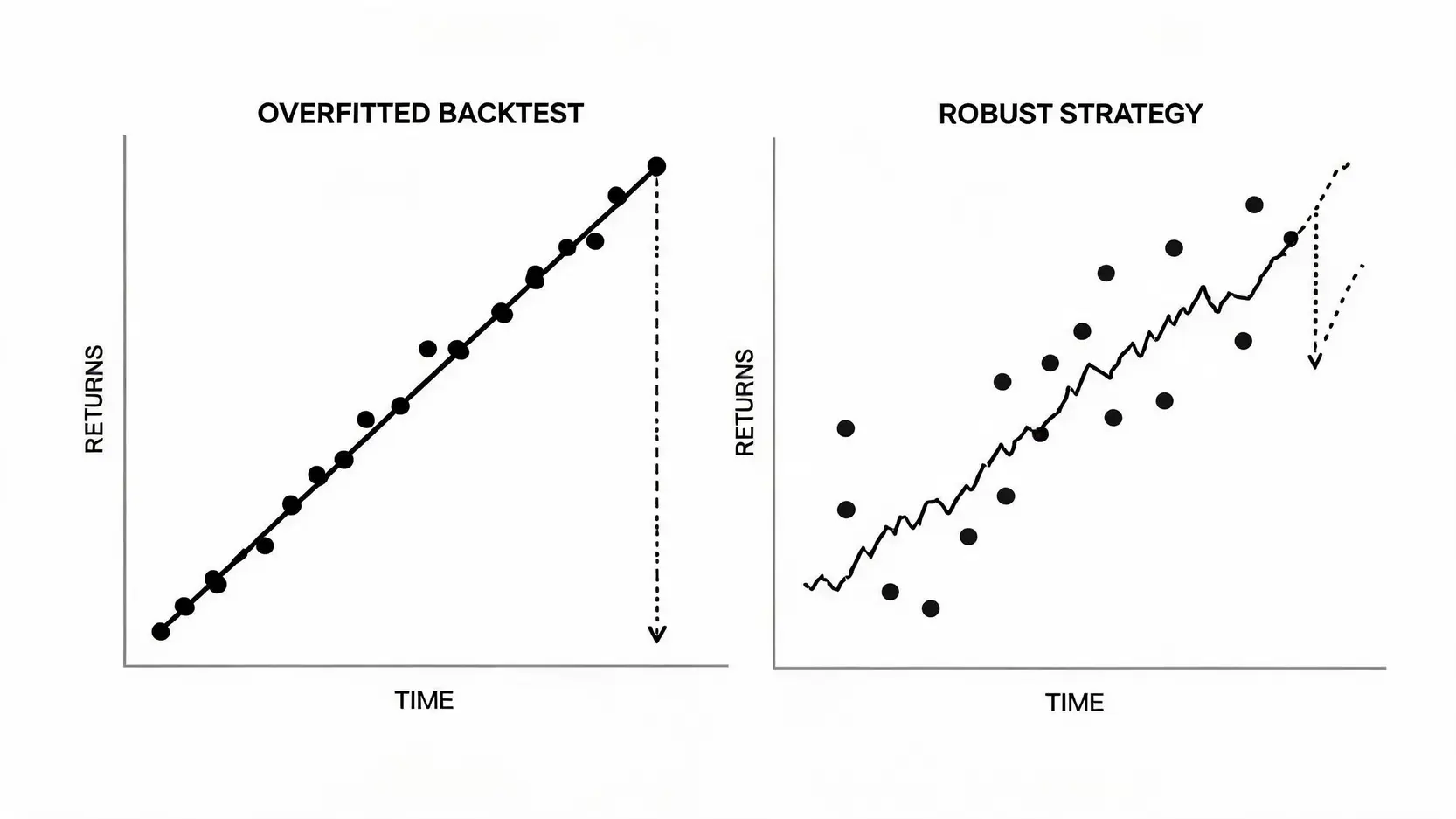
A: This is a common issue among quantitative traders, usually caused by several factors: 1. Overfitting: The strategy is overly optimized for historical data and performs poorly in unseen market conditions. 2. Ignoring trading costs: Spread, slippage, and commissions are not fully considered in backtesting. 3. Poor data quality: Inaccurate historical data leads to misleading results. 4. Look-ahead bias (future function): The strategy unintentionally uses future data for current decisions, which is impossible in real trading. The solution is to perform robustness testing such as out-of-sample testing and Monte Carlo simulation, and to make the backtesting environment as close to real market conditions as possible.

Warning: A perfect backtest does not guarantee future profits
Conclusion
In summary, whether you are a beginner or an experienced trader, using automated trading backtesting tools for quantitative trading simulation is a key step in improving trading performance. It helps you eliminate emotional bias and evaluate your strategies in an objective and scientific way. This article introduced several mainstream tools and provided a detailed MT4 automated backtesting tutorial. Now is the time to choose the most suitable backtesting software and start scientifically validating your trading strategy, moving toward stable profitability. Start your first MT4 strategy backtest today!
Related Articles
-
Practical Applications of Volatility Surfaces: From Options Modeling to Advanced Skew Trading Strategies In options markets, implied volatility is never a flat line. Instead, it forms complex "smile" or "skew" surfaces. For advanced traders, mastering the practical applications of volatility surfaces is equivalent to possessing a lens that reveals market...2026 年 6 月 3 日
-
Building a Foreign Capital Flow Copy Trading Model: A Stock Market Indicator for Accurately Tracking Institutional Positioning In Asia-Pacific stock markets, foreign capital inflows and outflows often determine the direction of the index. However, simply looking at daily net buy and sell data is no longer enough. Only by building...2026 年 6 月 3 日
-
Options Buyer Strategies During Extreme Market Conditions: Black Swan Hedging and Cross-Market Arbitrage During Volatility Surges The most terrifying aspect of financial markets is not a gradual decline, but overnight flash crashes and cross-market capital withdrawals accompanied by volatility surges. In the highly unpredictable global macroeconomic environment of 2026, geopolitical...2026 年 6 月 3 日